Block an Email
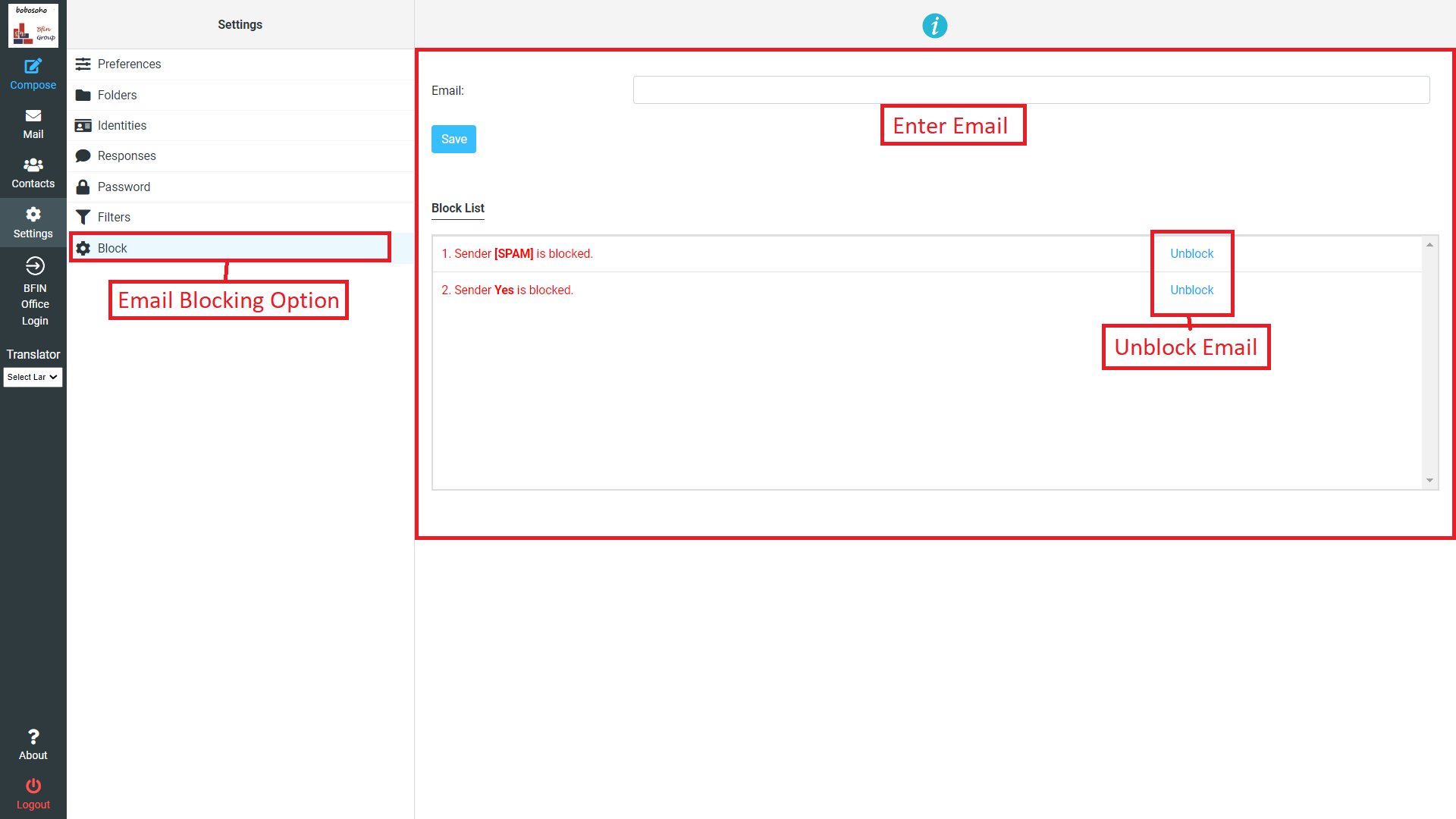
In this option you can block all incoming messages from any server on your Bobosohomail by doing some simple steps, to enjoy this feture click on settings and go to the last option which are appeared as Block
Block an Email?
To block an email simply put the email which one you want to block on Enter Email field then click on Save button. After doing this this email is blocked permanently untill you unblock it again.
Unblock an Email?
Once you block an email you can unblock the email again, to unblock just look down the page a table will there and you will see the all blocked email on the table just click on the unblock option next of the email, the email will unblocked succesfully